Quick answer
The best AI clip maker depends on your source video. If you publish long videos, podcasts or streams and want short clips for YouTube Shorts, Instagram Reels and TikTok:
How we put this guide together
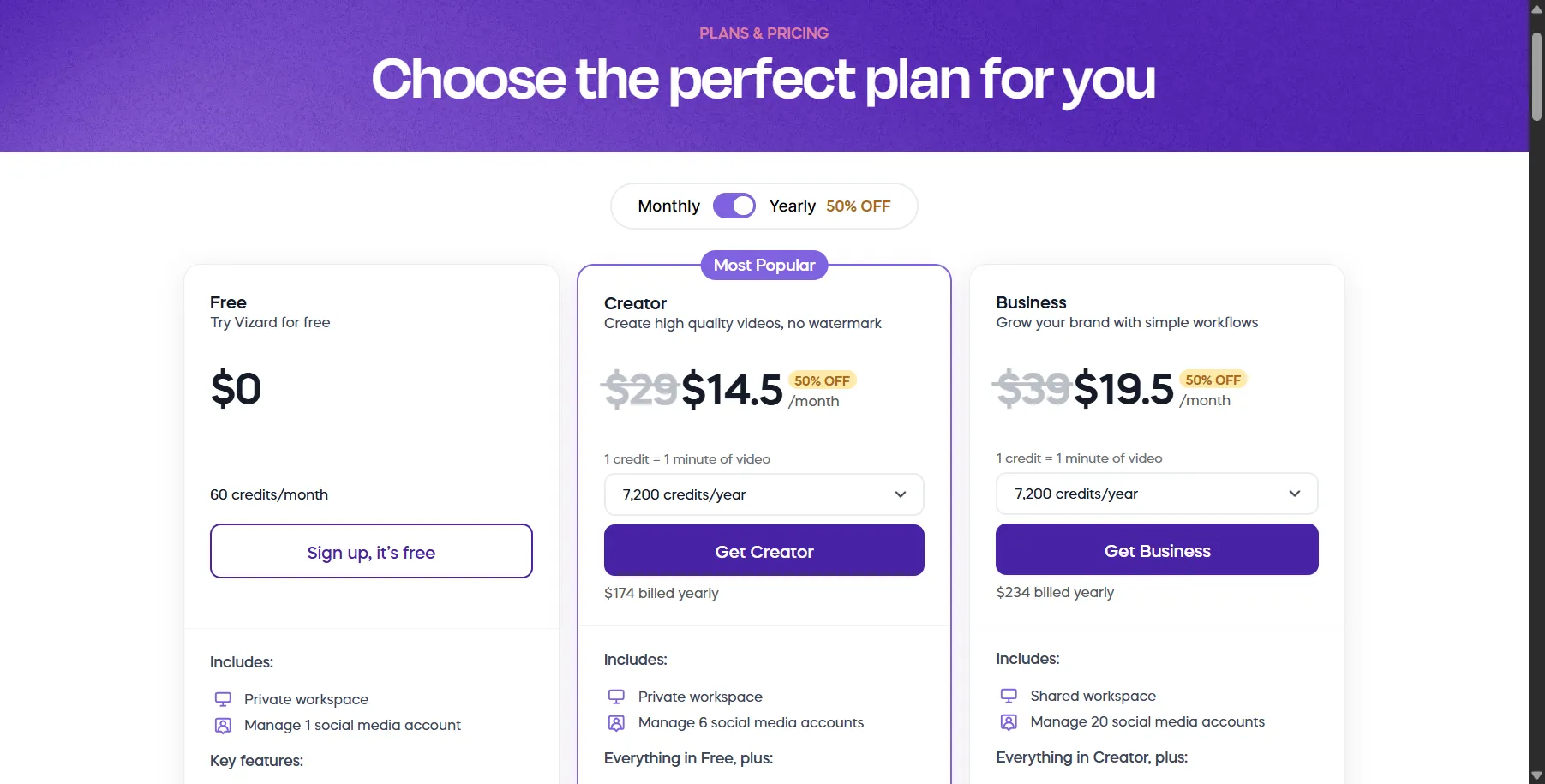
Plans and limits were read from official pricing pages on November 1, 2026. We did not hands-on test clip quality for this guide. Vizard shows monthly prices and yearly prices 50% lower.
Best AI clip maker comparison
| Tool | Free plan | Paid plans | Key limits from the pricing page |
|---|---|---|---|
| OpusClip | Yes, with a watermark | Starter listed at $15 (showed $9), Pro listed at $29 ($9.50 billed annually) | Business is custom-priced |
| Vizard | 60 credits a month (1 credit = 1 minute) | Creator $29 a month ($14.50 billed yearly), Business $39 ($19.50 billed yearly) | Free: 60-minute uploads, 720p export, 10-minute export length, 3-day storage. Paid: 600-minute uploads, 4K, no watermark |
| Submagic | None shown | Starter $19, Pro $39, Business $69 a month ($12, $23, $41 billed yearly) | Starter 2-minute videos, Pro 5, Business 30 minutes |
| Descript | 60 media minutes a month | $16 to $65 per person a month depending on plan and billing | Hobbyist: 10 media hours a month |
| Kapwing | 10 credits | Pro $16, Business $50 | Billing period not labeled |
| CapCut | Yes | Pro with AI credits | 7-day free trial; price varies by region |
What to compare
- Source length. Free plans cap upload length and export length. Vizard’s free plan exports clips up to 10 minutes.
- Resolution. Vizard’s free plan exports at 720p, and paid plans list 4K.
- Credits. Vizard counts one credit per minute of video, so a 60-minute podcast uses 60 credits.
- Captions. If you mostly need styled captions, Submagic is built around them. VEED and others cover subtitles too.
- Storage. Vizard’s free plan keeps videos for 3 days.
Which should you pick?
- You publish a weekly podcast or livestream: try OpusClip’s free plan and Vizard’s free plan with the same episode, then compare the clips. See also OpusClip alternatives.
- You film vertical videos and want strong captions: Submagic.
- You already edit by transcript: Descript.
- You need more general editing: read the best AI video editors.
Sources
Prices and limits in this guide come from the vendors' official pages, read on November 1, 2026:
Frequently asked questions
What is the best AI tool to turn long videos into Shorts?
OpusClip and Vizard are built for cutting long videos into short clips. Submagic focuses on captions for short-form video. Compare their free plans and export limits in this guide before paying.
Is there a free AI clip maker?
Yes. OpusClip has a free plan. Vizard's free plan includes 60 credits a month, where 1 credit equals 1 minute of video, with 720p export. Descript has a free plan with 60 media minutes a month.
How long can the source video be?
It depends on the plan. Vizard's free plan accepts uploads up to 60 minutes, while its paid plans list 600 minutes. Submagic's Starter plan limits videos to 2 minutes.
Do AI clip makers add a watermark?
Free plans often do. Vizard's free column does not list watermark removal, while its paid plans list no watermark. Submagic lists no watermark on all paid plans.